Ours are the stats, ads and better-emails kind. Sorry, no chocolate chips.
Privacy policy
Statistics
Google Analytics counts visits and sales.
Advertising
Google may use your visits for ads.
Personalised emails
Our emails follow what you look at here.
Your choice wasn't saved. Try again.
LOOK: 10 Creative LUTs
10 Creative LUTs for any video editor. From popular teal & orange looks to noir and grunge. These creative looks can instantly set the right tone for your film project.
Royalty-freeAdobe Premiere ProAdobe After EffectsDaVinci ResolveFinal Cut Pro
This free video pack comes with 10 pre-color graded looks on the REC 709 color profile. The LUTs are saved to .cube files to ensure better compatibility among different video editing applications. Eccentric styles and creative color grading looks. Made for the standard REC 709 color profile. Compatible with most modern video editing programs.
How to use
Installing or using LUTs depends on the video editing program you use. Most of the time it’s gonna be a setting within your color correction tools. We highly recommend searching for “how to use LUTs in … ”
Specs
Download
531.4 KB
Download Size
380.6 KB
Formats
.cube
Works in
Adobe Premiere ProAdobe After EffectsDaVinci ResolveFinal Cut Pro
Licence
Royalty-free · commercial use included
Preview the pack
Look-04
Look-03
Look-02
Look-01
Questions
It is almost always necessary to apply a primary correction before the LUT in the image pipeline. You may need to adjust white balance, tint, exposure, contrast, and saturation before adding the creative LUT in order to make it look natural. For example, this can be done in Premiere Pro Lumetri using the Basic tab.
Sign in to your Cinecom account and open the pack. Its files are ready to download right after payment. Save a copy on your own drive as a backup.
Yes. You may use them in your own video projects, including commercial ones such as monetized videos. You may not resell, share or redistribute the original files, or publish them as stock or inside a competing product.
Each pack page lists the software the pack works with. Check it before you buy: not having the right software is not a reason for a refund.
Yes. You pay once for each pack, and there is no subscription.
Packs are downloads you get straight away, so the EU right of withdrawal does not apply and purchases are final. If a pack is faulty or does not work as described and we can't fix it, we offer a remedy, which can be a refund. Our Refund Policy explains how to ask.
Email [email protected] with the pack name and a screenshot of the problem, and we will help you fix it. Update your editing software first, since a pack can rely on features from recent versions.



 Save 69%
Or take the bundle
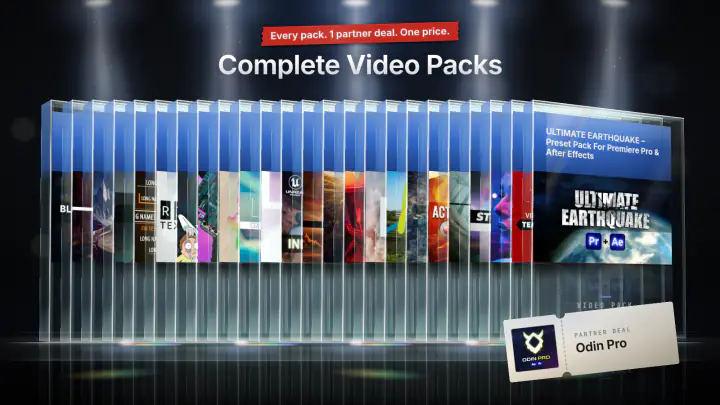
Complete Video Packs
24 video packs · 1 partner deal
$99