How to place yourself in any movie using After Effects
 Jordy Vandeput
722K views
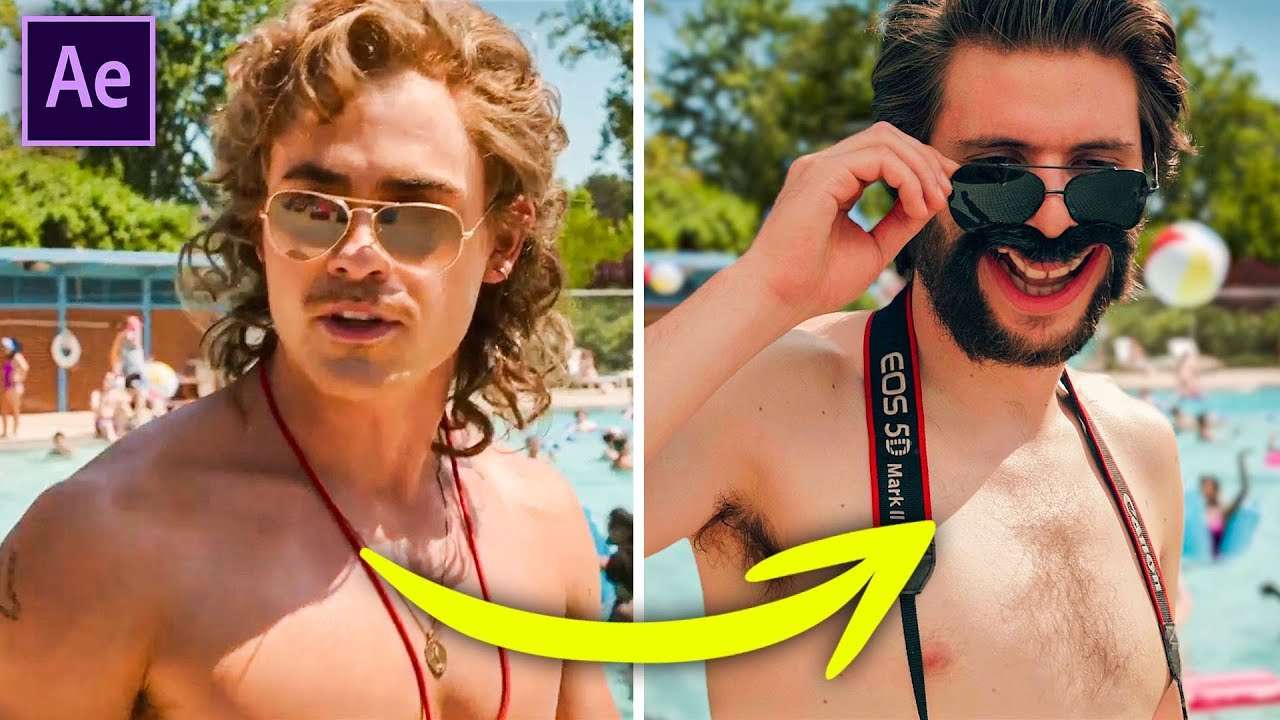
Remove actors and objects from any film using the new Content Aware Fill in Adobe After Effects. Learn how to place or composite yourself in Stranger Things or any Hollywood Film using this simple trick.
When our Stranger Things Black Veins tutorial came out you guys LOVED the sponsored intro. We got so many comments saying this was the best intro ever and wanted to know how to create this. This is why today we'll show you how to do this! You can go watch that video right now or stay reading because I'm telling the story behind why we did it.
We were preparing our video as always and thinking about what intro to do. Out of nowhere Jordy had the idea to replace Billy with himself. Yannick and I said that he was crazy! We told him you needed to paint out every single frame and put yourself over it. Not only this, but you need to match the camera movement and light which is not always easy. Jordy insisted and said he would get it done in only 1 day. I'm going to tell you a secret, it didn't happen in 1 day. Jordy needed to work overtime to get this done. He finished the intro around the same time as Yannick and I did the WHOLE video. Yeah Jordy went crazy! But I can say it looks not bad at all and we had a great laugh when he revealed it!

StoryBlocks Video
This video was supported by Storyblocks Video, an easy to use site full of stock footage, After Effects templates, backgrounds, motion Graphics and much more.
Jordy Vandeput
Founder of Cinecom · 2.75M+ subscribers on YouTube
Jordy Vandeput is a Belgian filmmaker who has taught practical filmmaking to millions through Cinecom. He breaks professional techniques down into clear, repeatable steps you can use on your very next project.







4 comments
Hey How can I put myself in a movie. It would be fun
Very nice Which software
Hey I was wondering if u could put me in a movie
Hey How can I put myself in a movie. It would be fun