5 Color Grading Tricks Everyone Should Know
 Jordy Vandeput
155K views

These color grading techniques in Adobe Premiere Pro Lumetri are very easy and will improve your color correction skills tremendously.
I see, I see what you don't see, oh wait... I don't see what you see because I'm colorblind.
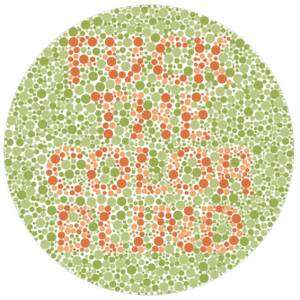
It's true, I really am... But I don't see everything in black and white. I just have a hard time seeing the details between colors, especially red and green colors. I do not detect enough of the green and I am too sensitive to yellows, oranges & reds. This type is called Deutan Colorblindness or Deuteronomy. As a result, red, yellow, green, and brown can appear similar, especially in low light. It may also be difficult to tell the difference between blues and purples, or pinks and grays.
I don't have a lot of problems with this, only in high school when we had to look things up on the world map or in our atlas. And nowadays I often have problems when colorgrading, that's why I always let Jordy, Lorenzo or Yannick double check my colorgrading. Luckily there are a lot of digital tools that can help me with this, like vectorscopes and waveforms. To understand how these work, I watched a lot of tutorials on YouTube and on Skillshare.
Speaking about Skillshare, have you guys seen Jordy's new Lumetri Course yet? I actually learned a lot from helping Jordy with that course. Like the difference between the input LUT and the creative LUT and the use of the three color wheels. So definitely check that out!
Do you guys see all the colors or are you colorblind as well?
StoryBlocks Video
This video was supported by Storyblocks Video, an easy to use site full of stock footage, After Effects templates, backgrounds, motion Graphics and much more.
Jordy Vandeput
Founder of Cinecom · 2.75M+ subscribers on YouTube
Jordy Vandeput is a Belgian filmmaker who has taught practical filmmaking to millions through Cinecom. He breaks professional techniques down into clear, repeatable steps you can use on your very next project.








0 comments