Fast Motion Effects from Ariana Grande (Premiere Pro)
 Jordy Vandeput
737K views
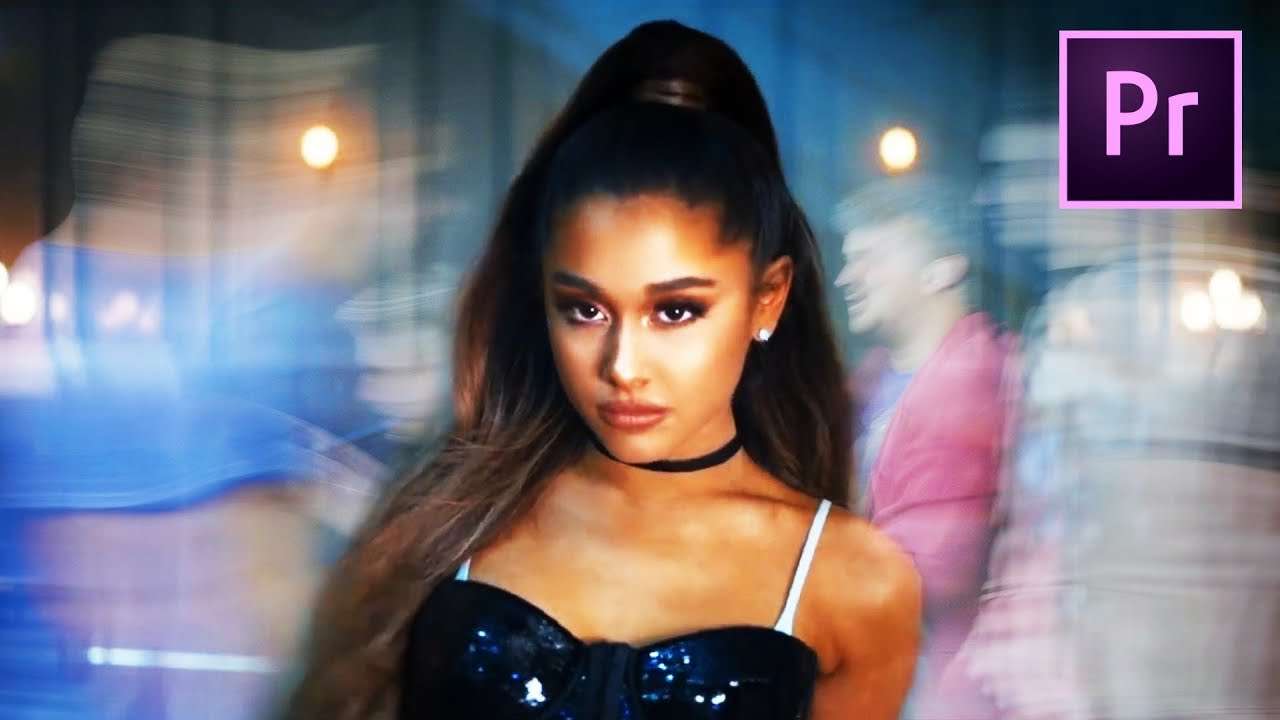
Stand still while everyone around you is fast forwarded like in the music video 'Breathing' from Ariana Grande. Learn how to create a fast motion time-lapse effect in this Adobe Premiere Pro tutorial video.
Another week, another Copy Cat Friday and this week we are doing an effect that is quite popular these days. You probably already saw it in music clips from Charlie Puth or even the Backstreet Boys. But the effect caught our attention when you guys asked us to recreate it from Ariana Grande's music video Breathing. The effect that i'm talking about is the standing still Timelapse. In the music clip you can see Ariana walking through a train station, but everyone in that train station is moving super fast. However Ariana is walking at a normal speed. How did she do that? Well this is exactly what we are going to explain in today's Copy Cat Friday.
But First I want to mention that we started with Cinebattle again. It's a serie we do where Jordy and I compete with each other in filmmaking challenges. We already did two episodes, the last one was this Wednesday. So I would definitely recommend you to watch these super cool series and vote the best one to victory.
The Timelapse Effect
Now back to our effect. Personally I must say that the effect is quite easy and that's why we are doing the effect in two different ways. The easy one, where you don't need anything of equipment. Just your camera, the environment and some masking skill. Of course you also need some actors or people who will walk in your shot. The effect goes as follows, you first shoot your actor in front of a large object that completely covers him. Let them do their thing and stop filming and leave the camera in the same position. Lower your shutterspeed and then film the people running through the shot. The only thing you need to pay attention to is that nobody is walking in front of your actor.
Then in post production the only thing you need to do is mask out you actor and put him on top of the fast moving people. Also don't forget to speed up the clip of the people. And believe it or not, that's is it. The other effect is a little bit more difficult and involves a green screen. But if you want to know how this goes, check the video and be ready to create a very cool and popular effect.
North VPN
With North VPN you get secure and private access to the Internet. Imagine VPN as a hack-proof, encrypted tunnel for online traffic to flow. Nobody can see through the tunnel and get their hands on your Internet data. NordVPN gives you peace of mind each time you use public Wi-Fi, access personal and work accounts on the road, or want to keep your browsing history to yourself.
Jordy Vandeput
Founder of Cinecom · 2.75M+ subscribers on YouTube
Jordy Vandeput is a Belgian filmmaker who has taught practical filmmaking to millions through Cinecom. He breaks professional techniques down into clear, repeatable steps you can use on your very next project.








1 comment
esta bonito gostei muito