How to create a sequence in Premiere Pro?
 Jordy Vandeput
84K views
Learn how to create a timeline in Adobe Premiere Pro and adjust the sequence settings to your needs in this beginner tutorial.
How to start editing in Premiere Pro?
To start editing in Adobe Premiere Pro you of course need a timeline or sequence.
There are multiple ways to create a sequence, the most easy way is to head over to the menu and select sequence or use the keyboard shortcut (CTRL + N). You will see a bunch of default sequences that Premiere Pro offers. If you don't know which one to choose, just select a random one. However, if you do know which one to select or if you need a specific one that isn't the same size as your footage, make your own.
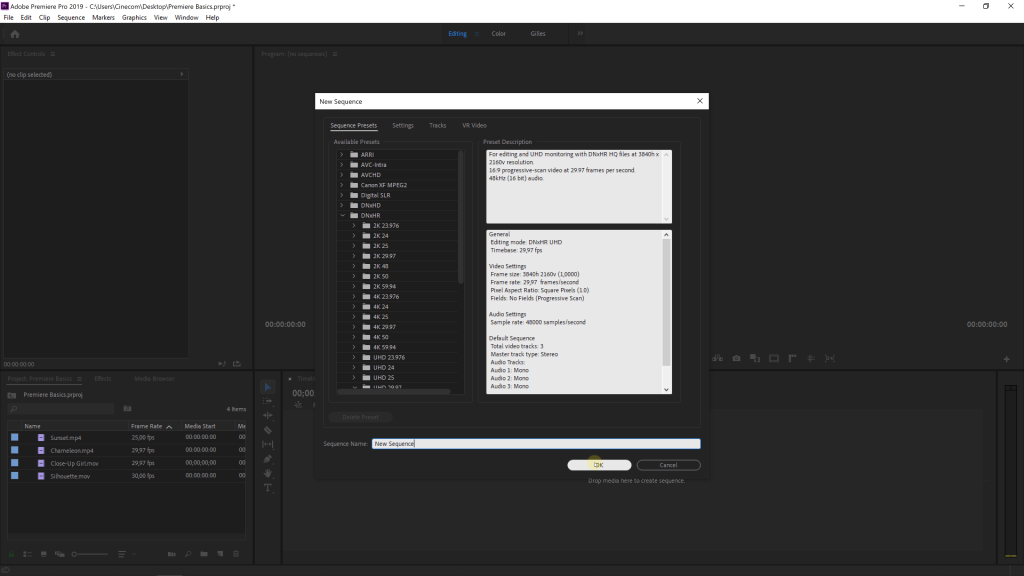
If you have chosen a random default sequence, just drag your footage in the timeline panel and it will automatically ask you if you want to change the sequence to the same size as your footage or if you want to keep the default settings. Here you can choose to change the sequence to the settings of your footage.
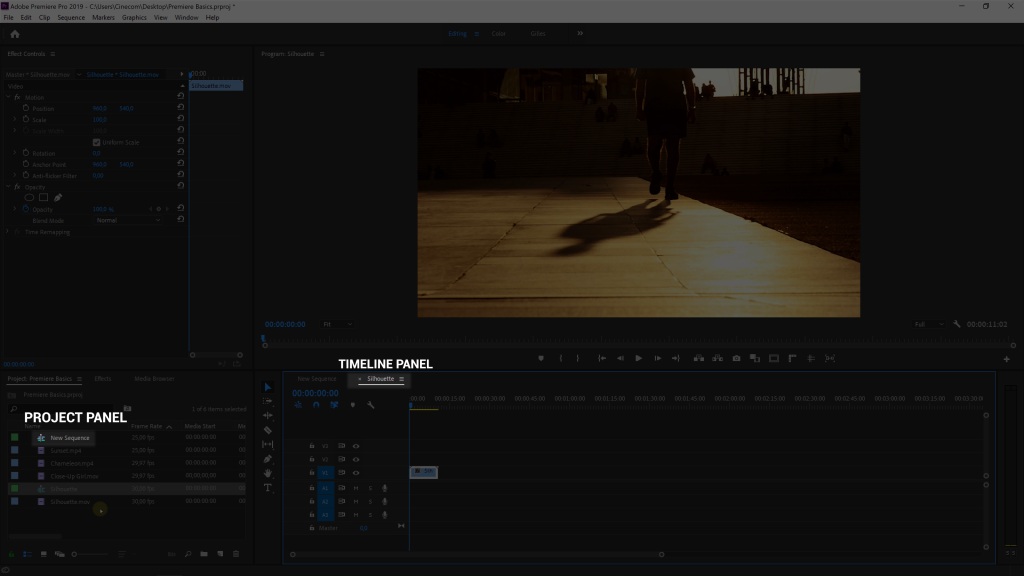
Another way to create the right sequence is by dragging your footage to the new item icon in the project panel and this will immediately create the perfect sequence for you footage.
Learn even more
If you want to learn even more about Premiere Pro, then make sure to check out our online courses on Skillshare! We also have courses about Adobe After Effects, Colorgrading, Creative camera framing, Lighting and so much more. You'll get two months for free by clicking on this link and afterwards it's super cheap. And you will also get access to thousands of other courses.
Jordy Vandeput
Founder of Cinecom · 2.75M+ subscribers on YouTube
Jordy Vandeput is a Belgian filmmaker who has taught practical filmmaking to millions through Cinecom. He breaks professional techniques down into clear, repeatable steps you can use on your very next project.


0 comments