Cinematic tricks with the Konova Master Pan slider
 Jordy Vandeput
29K views
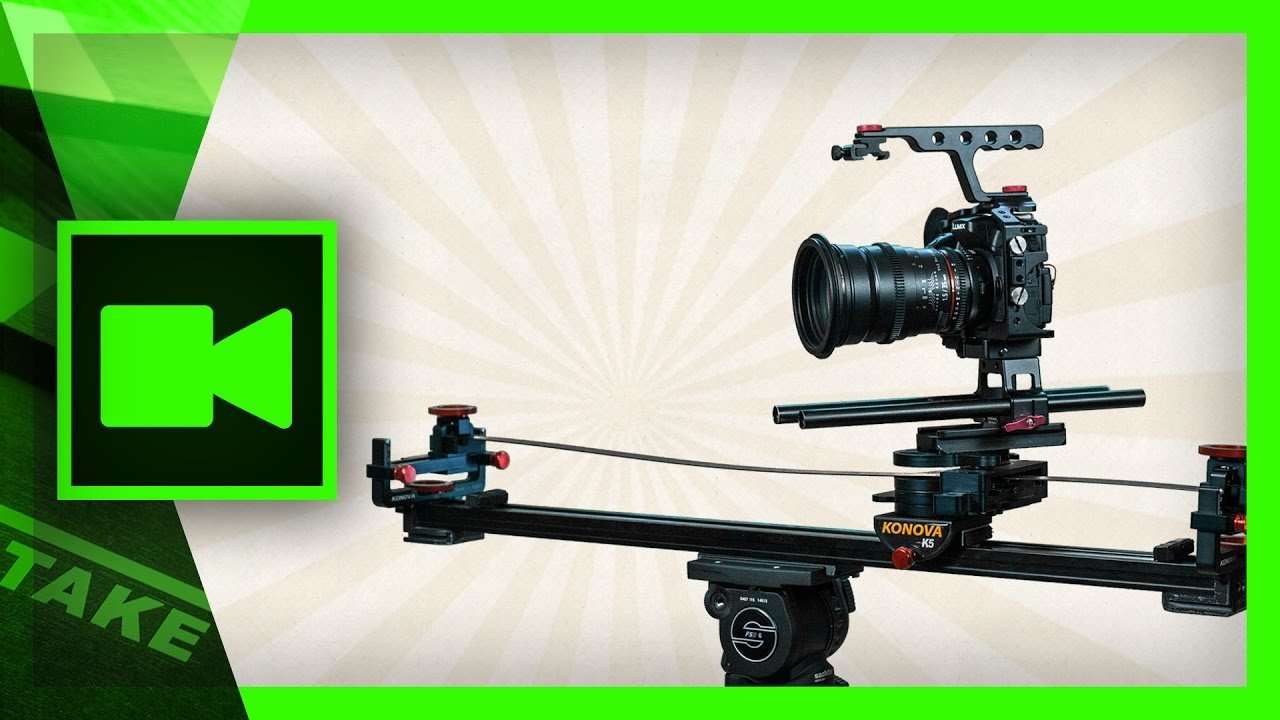
Create stunning cinematic shots with the Konova Master Pan. An extension that fits on your existing Konova camera slider. Watch our 5 tips video.
I had the privilege to test out the prototype of the Konova's Master Pan (even before it was named like that). The product installed very easy onto my Konova slider. Wether you have the K3, K5 or any other. After you've quickly installed it on your slider, you're ready to go. The Master Pan lets you set a starting point and an ending point. When you then slide your camera, it will also pan in the direction you've set with the Master Pan.
The great thing is that your camera will make a very smooth and controlled panning while you slide. This allows us to perform unique camera movements as a one-man crew. In this tutorial video we'll be looking at several techniques that will fit the horror genre pretty well. Horror films create tension to surprise the viewer. Having smooth and crazy camera movements can create this tension.
We'll be looking at 5 tips, usually close ups to create tension in your video.
Usefull Links
- Buy this product
- Already own one? Watch how to set it up
Jordy Vandeput
Founder of Cinecom · 2.75M+ subscribers on YouTube
Jordy Vandeput is a Belgian filmmaker who has taught practical filmmaking to millions through Cinecom. He breaks professional techniques down into clear, repeatable steps you can use on your very next project.





0 comments