How to mask in Premiere Pro?
 Jordy Vandeput
759K views
Learn how to create simple masks in Adobe Premiere Pro and how to solve mask problems in this beginner tutorial.
Masking in Adobe Premiere Pro
What is masking?
Masking... You may have heard about it before, but what is it exactly? It is basically a way of cutting your video to either make a transition or an effect. To start masking, select your clip and use the pen tool (or ellipse / rectangle tool) in the opacity property.
Now masking is absolutely possible in Adobe Premiere Pro but it has it's limitations. Especially when you're working on bigger projects and have difficult masks to make.
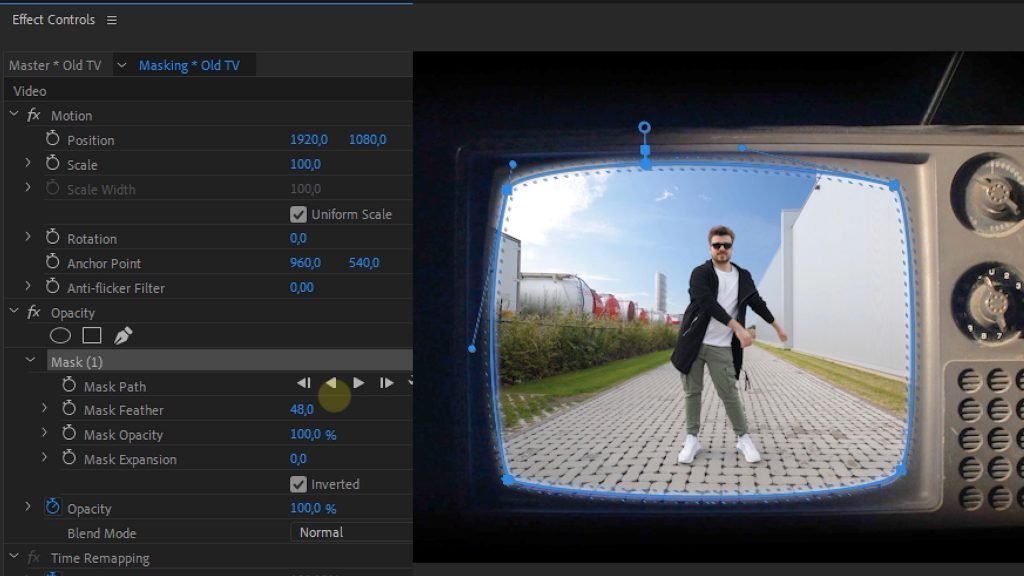
Problems while masking in Premiere Pro
mask within a mask
Placing multiple mask on a single clip or masking within a mask is often times a troubling thing to do in Premiere Pro. If you are having problems with this I recommend placing your first mask on your clip, then nesting the clip and then apply a second mask. This works most of the time but if your problem still occurs I would recommend making that specific mask in After Effects since it has the possibility to make mask subtractions.
Tracking a mask
In Premiere Pro you have the possibility to track a mask with the mask path selected, place a keyframe and then choose the 'track selected mask forward' tool. This works fine but if you want to make an advanced mask that has to track an object in 3D space I again recommend After Effects since Premiere Pro only has the ability to track on a 2D plane. Also keep in mind that in Premiere you can only track masks, not text.
mask point doesn't animate properly
Whenever you're making a complicated mask animation and you add extra points to the mask along the clip it can occur that Premiere doesn't animate these extra points or that it even makes these point move around randomly even though they shouldn't. Once again, there's not really a way to solve this (except to not add extra points to your mask) but it is way better to do this in After Effects.
Advanced masking in Skillshare
If you want to learn even more advanced masking techniques, check out our masking course on Skillshare. You'll get two months of free access so it's definitely worth it.
Jordy Vandeput
Founder of Cinecom · 2.75M+ subscribers on YouTube
Jordy Vandeput is a Belgian filmmaker who has taught practical filmmaking to millions through Cinecom. He breaks professional techniques down into clear, repeatable steps you can use on your very next project.








3 comments
Hi jordy and Gilles I'm Rizwan from Pakistan . and I'm ur new student i want to learn more so can u tell me complete course and amounts please
This is the best place to learn Premiere, You guys are the best.
Thanks a lot, Sapeksh! Glad to hear that :-)